Resume examples

Four LaTeX resume formats and when each one makes sense

A template decides the visual hierarchy. It does not decide what deserves space. Use these examples to choose a structure, then edit the content for the specific role rather than copying someone else’s wording.

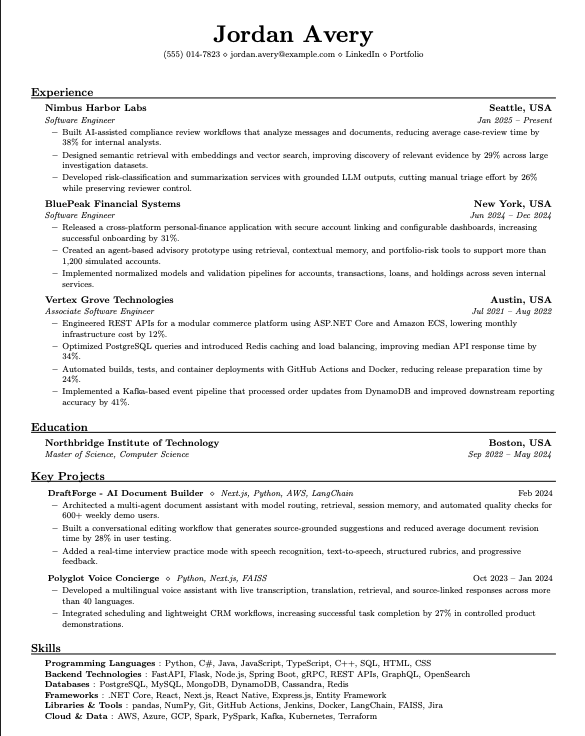
Default resume template preview

Default

Use it when
You want a familiar reverse-chronological resume that works across most business and technical roles.
Give space to
Recent experience, a compact skills section, and three to five strong bullets for the most relevant roles.
Watch for
Do not let every job take equal space. Older or unrelated work should be shorter.
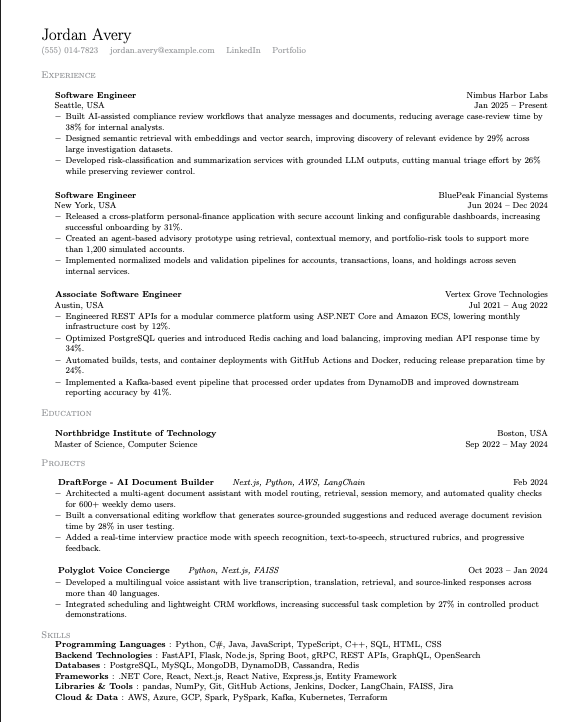
Minimalist resume template preview

Minimalist

Use it when
Your content is already strong and you want the typography to stay almost invisible.
Give space to
Clear job titles, consistent dates, and concise bullets with enough white space to scan quickly.
Watch for
Minimal does not mean tiny. Keep the type readable and remove content before shrinking it.
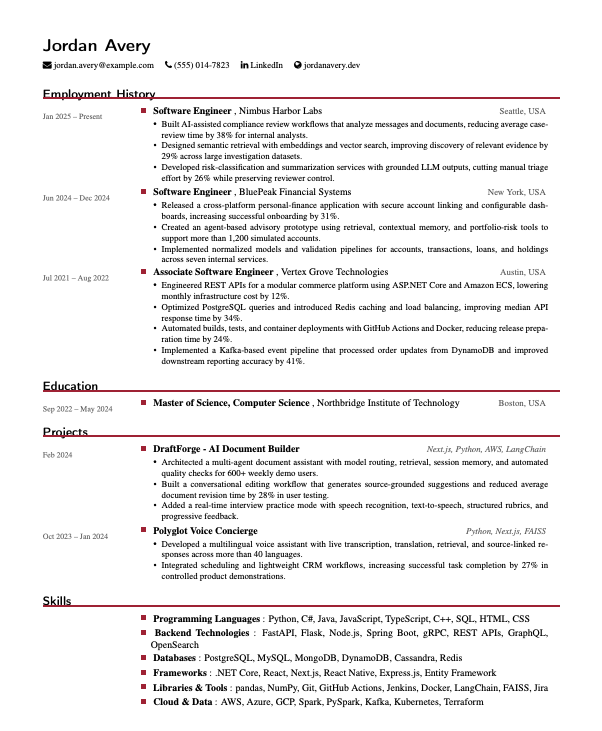
Executive resume template preview

Executive

Use it when
You need room for leadership scope, business context, and results across several positions.
Give space to
Team or budget scope, decisions, operating changes, and outcomes instead of a longer list of responsibilities.
Watch for
An executive summary should establish direction and scale. Avoid generic leadership adjectives.
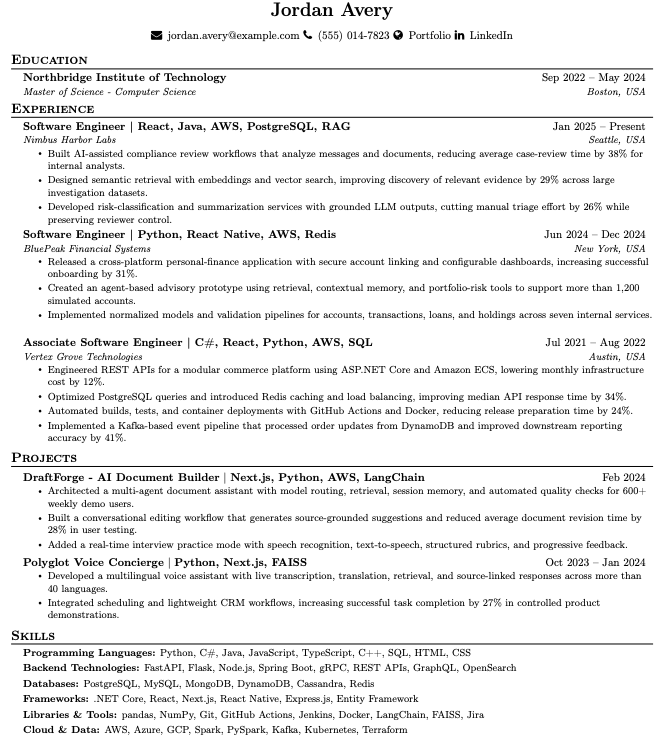
PhD and academic CV resume template preview

PhD and academic CV

Use it when
The application asks for an academic CV, publication record, research statement, or teaching history.
Give space to
Research interests, publications, grants, teaching, presentations, service, and methods relevant to the institution.
Watch for
Academic CV conventions differ from industry resumes. Check the department’s instructions before cutting for length.

How to turn a template into your resume

  1. 1.

    Choose the reading order first.

    Place the most relevant section earlier. For many experienced applicants that is Experience; for a student it may be Education or Projects.

  2. 2.

    Write before you compress.

    Get the evidence right in plain language. Tighten the wording only after the bullet says something specific.

  3. 3.

    Use the job posting as an editing brief.

    Adjust emphasis and terminology where the posting matches your actual work. Do not fill the page with copied requirements.

  4. 4.

    Inspect the exported file.

    Check page breaks, links, selectable text, and reading order. The PDF is the product the employer receives.

Try the formats with your own content

Switch templates in the editor and compare the hierarchy before you export.